Image Manipulator Tool
As a photographer that continuously tries to expand the boundaries of the field, I am always exploring ways to collaborate different mediums with photography. This image manipulation tool will incorporate programming with photography. This tool is used to manipulate a photograph in seven different methods and to use these manipulated images for digital collages on Photoshop. The seven different manipulations are as follows:
- Draws horizontal strips of lines along each row with the average color of the row.
- Draws vertical strips of lines along each column with the average color of each column.
- Draws horizontal strips of lines with colors from the column of the image with the most variety of shades.
- Draws vertical strips of lines with colors from the row of the image with the most variety of shades.
- Draws the image with big mosaic boxes.
- Draws the image with medium sized mosaic boxes.
- Draws the image with small sized mosaic boxes.
Then the user can save the manipulated images as individual image files (TIFF) by clicking on the save button. The images will be saved with logical identifiable names.
There is a menu with descriptions, the preview of each manipulation, and the save button at the bottom of the screen.
Note that the images on the display are purposely resized to fit the screen, and the dimensions of the saved images are untouched.
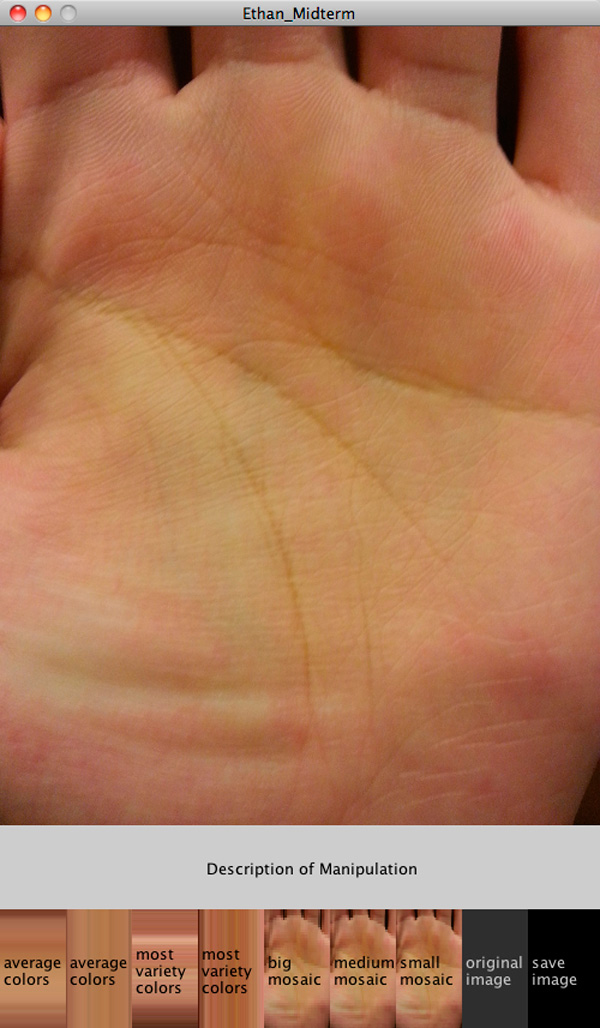
Display of the tool.
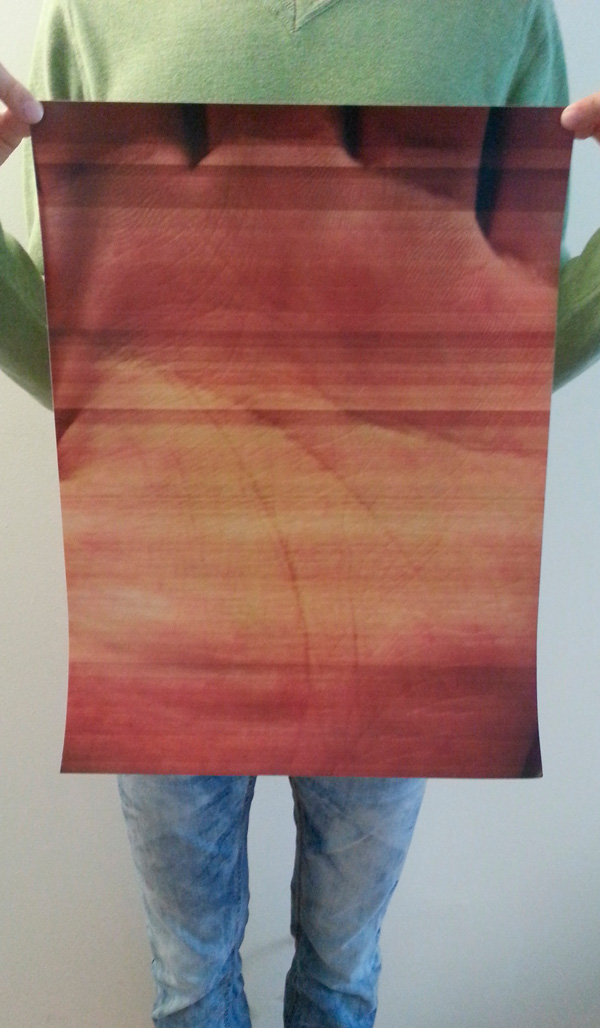
Photo of the specimen created with the manipulations